Canvas guide · Updated October 23, 2026
Yes, if your course keeps quiz logs. Leaving the quiz page writes "Stopped viewing the Canvas quiz-taking page" with a timestamp. Canvas does not see which tab you opened, what you copied, your extensions or your screen.
Based on Instructure's own quiz log and New Quizzes guides, checked October 23, 2026.
Classic Quizzes keep an action log when the course has quiz log auditing on. New Quizzes show the same kind of events under Moderate → View Log.
| You do this during a quiz | Shows in the quiz log? | What exactly |
|---|---|---|
| Open a new tab or window | Yes | "Stopped viewing the Canvas quiz-taking page", then "Resumed" when you return. Time only. |
| Switch to another app (notes, chat, calculator) | Yes | Same pair of lines. The app's name is not recorded. |
| Click a notification that opens something else | Can | Anything that pulls focus away from the page can write the line. |
| Copy or paste text | No | There is no clipboard status in the log. |
| Which website or tab you went to | No | The underlying event carries no URL, title or app name. |
| Your Chrome extensions | No | No log field, and a page can't list your extensions. |
| Your screen or webcam | No | Only a separate proctoring tool records those. |
| Time spent per question | Yes | Every answer is timestamped, so a long gap and then a fast answer is visible. |
Instructure says the status appears when a student navigates away from the quiz: closes the tab, opens a new tab, or goes to a different program. Under the hood Canvas stores a page_blurred event when the quiz page loses focus and page_focused when it comes back. Both carry no data about where you went.
The "15 second rule" you see on forums comes from a community answer, not from Instructure's documentation. Instructure's own API example shows a blur and focus pair six seconds apart. If the page loses focus, assume it can be logged.
The log is a list of timestamps. What stands out is a pattern: a gap before almost every answer, or answers that land seconds after coming back. Instructure itself says quiz logs are not meant to judge academic integrity on their own, but they are the first thing an instructor opens.
If your quiz needs a separate proctoring browser or extension, you are told before it starts. Those tools can record your screen and camera and turn extensions off. Nothing on this page applies to them.
Everything the log records starts with the page losing focus. Hidio answers where you already are.
Hidio reads the question you double-clicked straight from the page. No new tab, no pasting into a chatbot, no window switch.
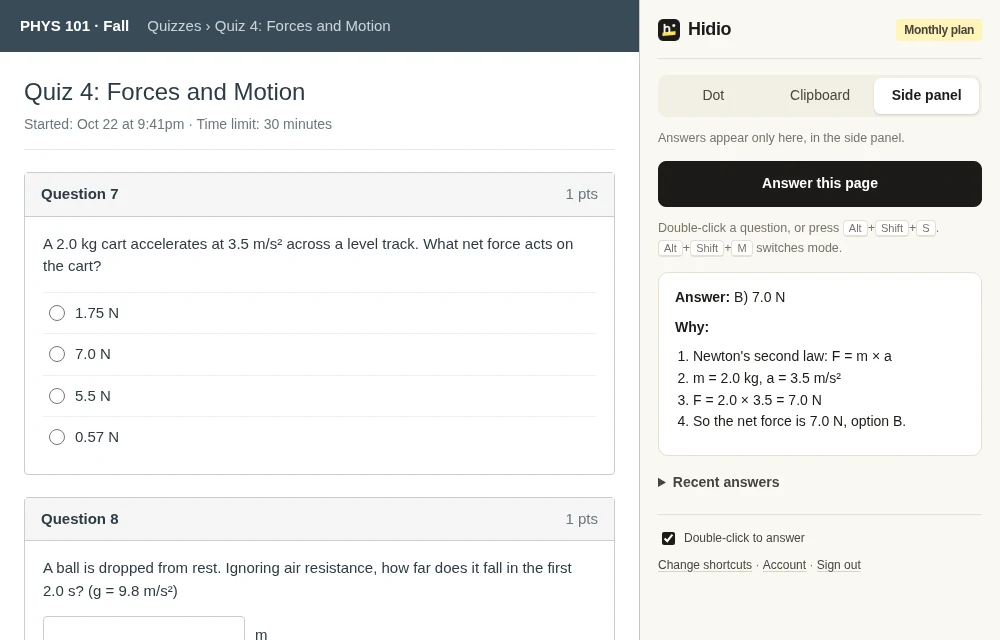
Clipboard: nothing appears on the page, the answer is copied and you paste it. Dot: an 8px dot in the corner of the page, hover to read. Side panel: full steps next to the page. Open the side panel before the quiz starts; clicking inside it during the quiz moves focus away from the page.
Press Alt+Shift+S and the answer appears in a small window that never takes focus from your browser, and never shows up in a screen share or screenshot. Get the Windows app.
Yes, if your course has quiz logs turned on. The log writes "Stopped viewing the Canvas quiz-taking page" when the quiz page loses focus (a new tab, another window or another program) and "Resumed" when you come back. It records the time only, not which tab or app you went to.
Not through the quiz log. Instructure's list of quiz log statuses has no copy or paste entry. What can show up is the time pattern: a long gap followed by a fast answer.
Canvas itself has no log field for extensions, and a web page cannot list the extensions you have installed. Proctoring tools your school adds on top of Canvas are different: some of them can turn extensions off during an exam.
No. Canvas quiz logs record page focus, answers and timestamps. Screen or webcam recording only comes from a separate proctoring tool, and you are told before the quiz starts.
Clicking into the other half of the screen moves focus away from the quiz page, so it can be logged the same way. Just looking at it does not.
Use something that answers on the quiz page itself. With Hidio you double-click the question and the answer is copied to your clipboard or shown in an 8px dot in the corner of the page, so the quiz page never loses focus. The Hidio Windows app answers with Alt+Shift+S in a window that never takes focus from the browser.
5 free answers. No card needed.